
Power Automate Integration
Power Automate allows you to receive push and email notifications, create automated workflows, and hook up multiple services like Microsoft Teams, Trello, Google Sheets, Excel, and more for data manipulation and notifications.
You can also chain events and set up custom logic.
Important: BG Renderer Max uses the HTTP connector, which is a Premium connector. This requires a Power Automate Premium plan, or an equivalent Microsoft 365 license that includes premium connectors. Please check with your IT department on whether your organization already has one.
Go to Power Automate to sign in or create an account.
Tutorial Video
BG Renderer Max Template
We've created a sample BG Renderer Max flow template for your convenience.
It also adds Dynamic Content so you can customize the notification text with Composition name, Path, and other variables.
Download the Sample Template and go to My flows
Click Import and upload the ZIP file.
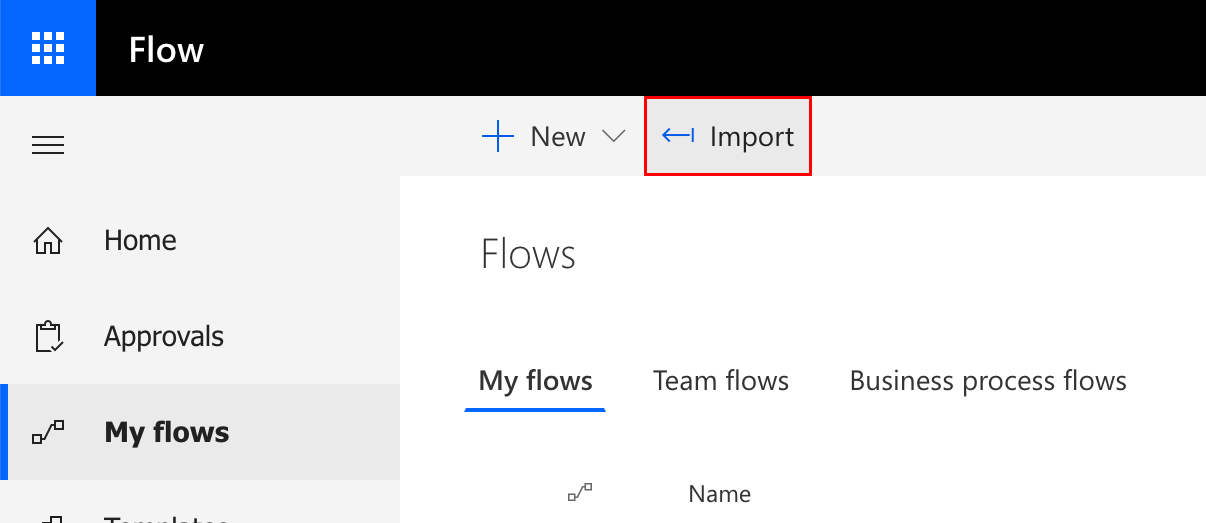
This adds a sample flow in the My flows tab, that you can easily modify. Just leave the first step intact.
The following template variables are available: CompName, FilePath, FPS, and RenderDuration.
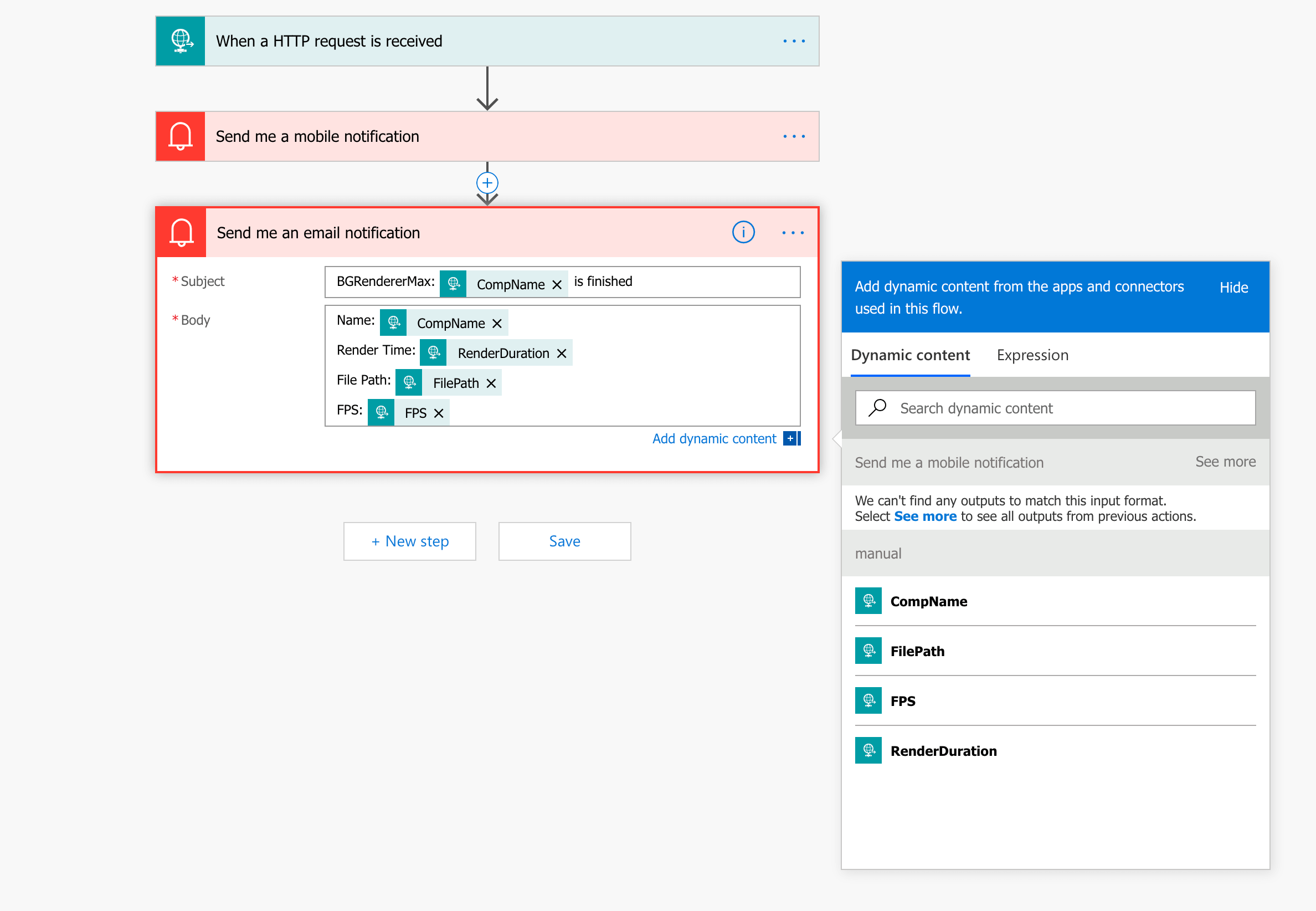
Getting Push Notifications
Download the Power Automate app for iPhone or Android to receive mobile push notifications. Add a Mobile notification step to your flow.
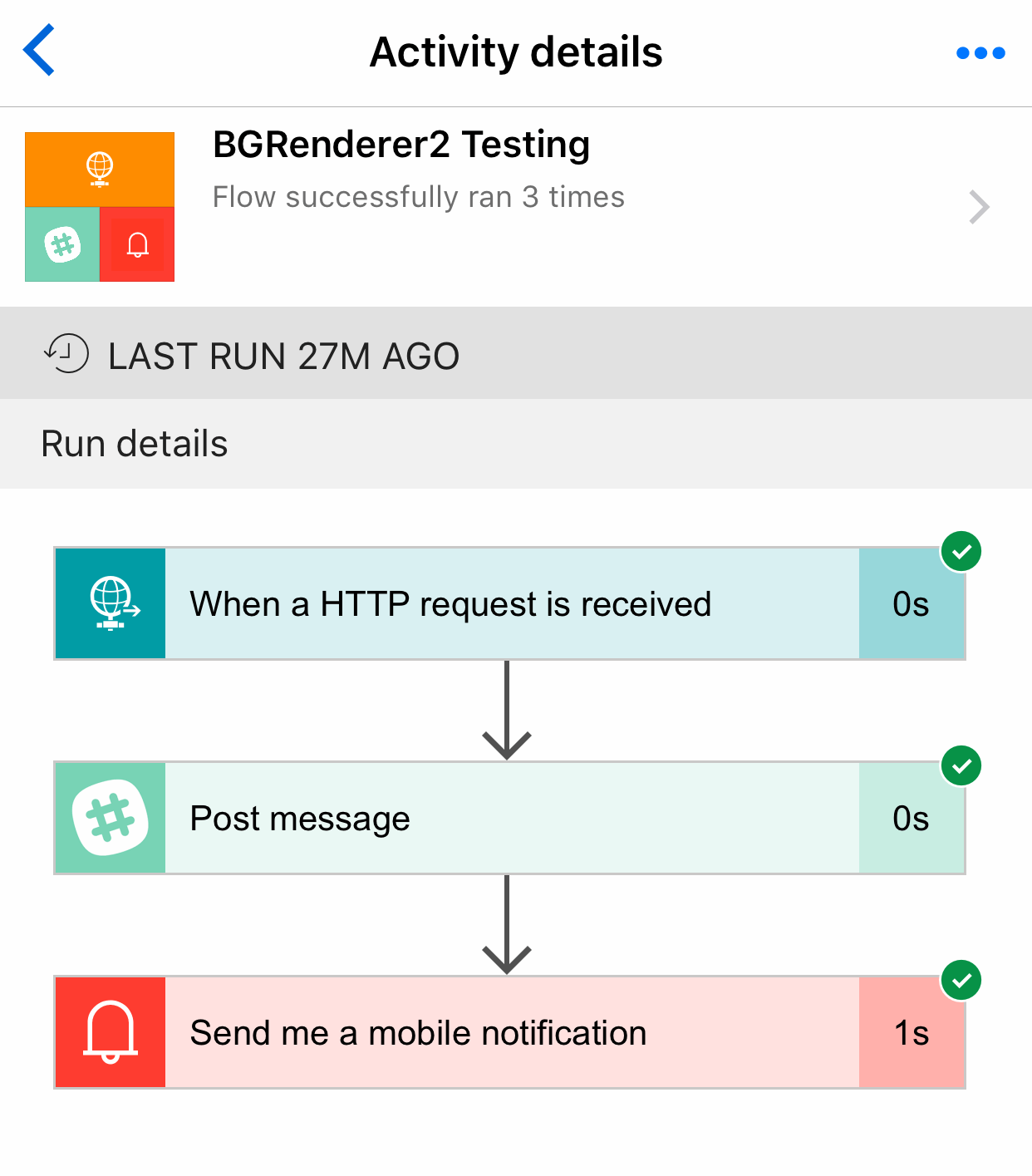
You can also use the mobile app to modify your flow and get the usage statistics.